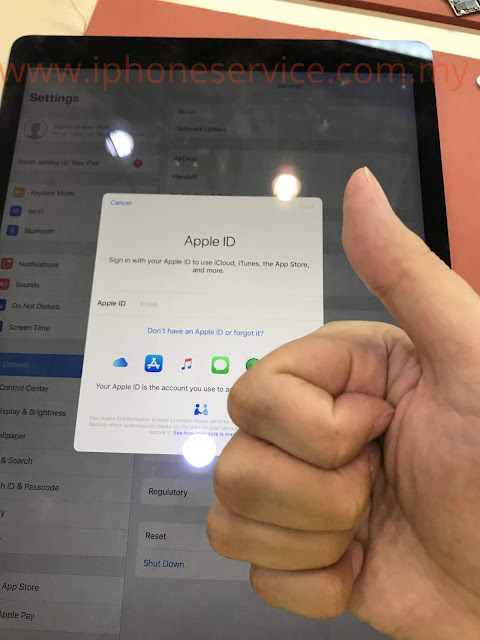
31 July 2019

Apple Certified Technician? ACiT

"We are Apple Certified iOS Technicians. Anyone can be one too."
Get a Tech ID and then pay $20 take and pass the SVC-19, then the Apple Certified iOS Technician (ACiT)" 
Apple Certified iOS Technician, certified by Apple. It is easy to do, open resource, and frankly--quite dumb. It's just an online exam. 

Truth about Apple Certified Technician

It's so hilarious seeing some repair shop showing this so-called ACiT Apple Certified Technician to the customers.

"Pandai cari makan."

I tell you the truth.
Even for the Apple Technician that working inside the center, they can't repair the job I do every day such as 
motherboard problem and data recovery.


One of my reason that not want to be authorized Apple Service Center because they DO NOT allow us to repair anything that beyond screwdrivers can do. Especially soldering.

They only allow screwdrivers job to replace parts. Such as Battery or LCD replacement.
If a bigger problem then needs to requests a replacement of the same model which all the memory data can't be saved.

This is not a real repair.

I'm more like "True Repair Art" instead of "Replacement Art"

In the end, I just wanted to say...
Apple Certified Technician NOT helping


22 July 2019

Upgrade iPhone Speed | Hardware speed up iPhone

Speed up your iPhone by hardware modification


I'm sure from what you know or someone told you that the iPhone speed is can't be upgraded. But I'm saying the otherwise.
I'm NOT talking about software tune-up shit. I'm talking about the hardware upgrade just like a computer by adding more RAM, change CPU or SSD.


Today I would like to share how the speed upgrade is possible. But the works can be only carried by an expert like me.

Because I get the non-stop people asking me this question:
"Is it the bigger storage of the iPhone and it will be lagger (slow)?"
The answer is NO.
Because the speed is entirely up to the memory chip.
Exactly like you buying a memory SDcard that have many different brand and speed.


And the memory chip of the iPhone is called NAND flash. As I said many times before, Apple doesn't make storage. They take the supplies from Sandisk, Toshiba, Hynix, or Samsung.

I know you guys expect all iPhone hardware is the totally same performance compare to the same model, but now I tell you it is NOT. That's why sometimes your friend's iPhone runs better than yours. Not only in terms of speed. The cellular or network performance is also different. You never know what you bought. Different batch and location can have differences.   


So back into topic.
Apple is smart... or I can say the manufactures of NAND too. They use a lower grade of NAND which is slower speed for 16/32 GB.

Lower Tech = Cheaper Cost

Below is the comparison of 32GB and 256GB NAND.
The speed test is based on the iPhone 6S with A9 CPU running PCIe.


32GB NAND PCIe speed
32GB speed test


256GB NAND PCIe speed
256GB speed test

As you can see from above.
32 GB is running an average speed of 48 MB/s (384Mbps)
256 GB is running an average speed of 67 MB/s (536Mbps)

It's about 40% speed increased

The photo I show is only the writing speed. I believe the reading speed is much more but I want to keep this article short.

So I'm not bothering to explain TLC and MLC different. Because what I'm doing today is to tell you that by changing the storage of the iPhone or iPad, the speed can be upgraded as well.

Please don't think the Toshiba is slower. Other brands are also slow if they are the low capacity storage type (16GB or 32GB).


BUT

don't expect it's a very noticeable speedup. Because a lot of works are still depending on the CPU and the RAM especially when it comes to multitasking.

Summary

The speed difference is noticeable for video editing, loading a bunch of photos, compressing a file before sending, loading game time decrease, transferring between PC, backup and more...

iPhone 6S support 512GB
Have you seen 512 GB iPhone 6S selling in Apple?

14 July 2019

Unlock iPad Apple ID Guide - How to unlock iPad Pro Cellular


First of all, if you found any lost device, please return to the owner.

If for some reason, you need help, but Apple doesn't help you.
Then you can find us to do a factory unlock.

If you want a cheap or bypass method, it's not in here. Here we talk about how to factory unlock it and without any side-effect.
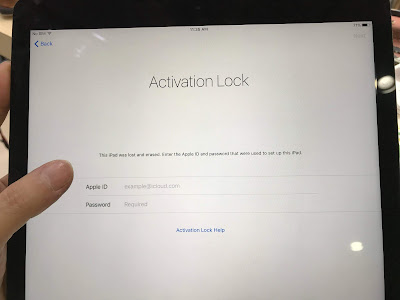


iPad Pro 12.9 4G
NOTE: Cellular version of iPad and WiFi Version iPad are NOT unlock the same method.

Now this is about a real case of "How to unlock an iPad Pro 12.9 Cellular version".

First of all, you need to know how the Apple ID lock works.

How the activation server works

The device locked status is not stored inside the memory or the hard disk. This is mean no matter how you reformat or erase the software, it's still unable to activate because the Apple server requires you to sign in the previous Apple ID that logged into the device. 

So the lock status is based on the Apple Server. 

We need to know what kind of information the server is reading from our device

For sure the Apple Server is recognizing our device through unique info that is programmed on our devices.

So the expert like us will do the experiment by editing the device info to fool the server. Below is what we found out so far...

  • If the device is a Cellular version (SIM card), the server will check the IMEI, Serial Number, WiFi Address, and Bluetooth Address. 

  • If the device has no SIM function, the server only checks the Serial Number, WiFi Address, and Bluetooth Address.

This 3 data must be the same set, no mixing, or randomly typed in. This means the whole set of data info must be exactly from a device the same as what they sold.

Or else their server won't be allowed the device to be activated and saying there is a problem in your device as the screenshot below.


Methods to unlock Apple ID / Bypass Activation available so far...


  1. Hack their server - If you are a pro hacker, then hack their server, but I don't think a super hacker will bother to do a small job like this. 

  2. Jailbreak - Use a third-party app to bypass the activation page. But this method is available for certain iOS version only. Usually this option is not supported for the latest iOS and it will be locked if you update the iOS.

  3. Apple Center Unlock for you - Yes, as long you have the receipt of the purchase to prove you're the owner.
    Don't expect you can pay someone in Apple and they do for you. Because there will be a record of which technician logged out the ID of the customer device.
    Apple already fired a bunch of technicians because of it. Especially the customers reported seeing their lost device is not in the iCloud list suddenly.

  4. Reprogram the device to fool the server - Yes, this is today's topic. 

We can edit the IMEI and Serial Number to fool the server?

Yes. But as I said before, the server is comparing the info of your device with their record.

But to reprogram the IMEI is NOT possible. Because the IMEI is stored inside the Baseband CPU and it's designed to be unprogrammable.
 
"Baseband CPU is a long story to explain, I might write another article for it"

But the info such as Serial Number, WiFi Address and Bluetooth Address can be edited through a hard disk programer machine. It's the same method that I wrote an article about upgrading storage before. 

Because the SN is stored on the hard disk. But technically the hard disk they used is NAND flash. So we should say it's the NAND.

Why we have the tool to reprogram the NAND? 

Because Apple doesn't own any factory to make the NAND flash. All the iPhone and iPad are using NAND flash memory.
The major NAND manufacturers are Samsung, Hynix, Toshiba, and Sandisk. Apple bought the NAND from them.

This is why we can easily to get NAND programming tools. 


Back to today's topic - Unlocking a cellular of iPad 

If we just changed SN, but the IMEI is still there, the server will still be blocking us to activate. 
Remember, the devices that have IMEI are those devices with supported the SIM cards (
iPad Cellular version and the iPhone).

So if a device doesn't have IMEI (iPad WiFi Version), they are all can be unlocked easily by just reprogramming the SN, WIFI, and BT.

Here is the video of how to unlock the iPad WiFi version.


What about the iPads Cellular version? Can it still be unlocked?

Yes, but we need to disable the IMEI. (SIM cellular function / Baseband). So the iPad Cellular will become an iPad WiFi version. But we still need to change the SN, Wifi, and BT.

If so, then the iPhone can unlock?

No. It's because if you disable the IMEI (Baseband) on the iPhone, then Apple Server recognizes it's a brick and having a hardware problem. It will say there is a problem with your device and tell you to send it to Apple Center. 


Let's continue to read how to unlock the Cellular of the iPads.

How to Unlock the Cellular version iPad Pro


The first step is we need to disable the IMEI of the iPad. 
It's simple. We just remove a specific resistor on the motherboard, and then the iPad will become a WiFi version.
Literally, we are converting the Cellular iPad to a Wifi iPad.
How to convert iPad Pro 12.9 4G to WiFi

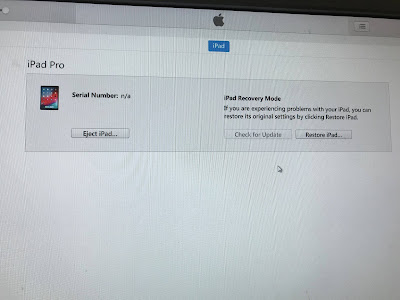
After the steps above, the iPad will be stuck into DFU mode. But DO NOT restore it yet.
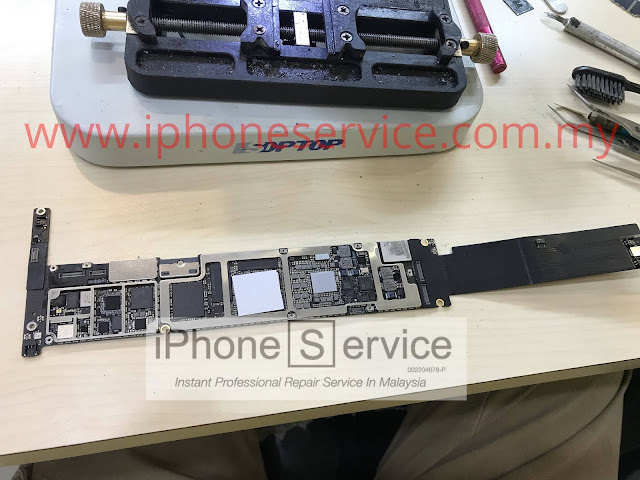

iPad Pro 12.9 4G logicboard
Take the whole board out of the housing.
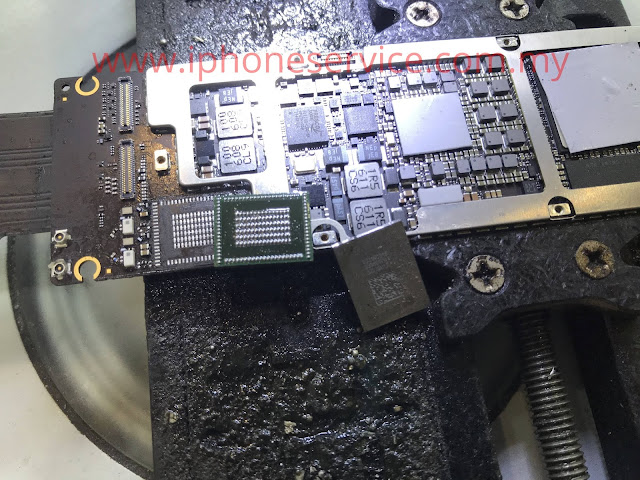
Because some models need to take out the NAND to program it. 
This NAND removal is done by using a "hot air soldering station".
So you need to be well trained in micro-soldering and heat control, or else you're be killing the board.


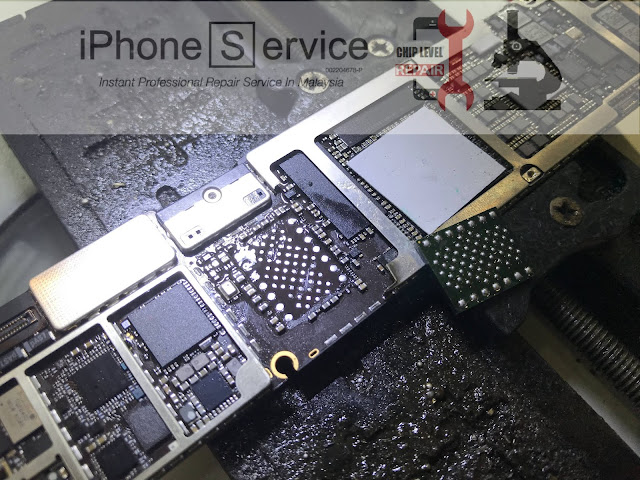
iPad PRO NAND
Tips: Be careful when removing the NAND IC, you sure don't want overheat to affected the RAM or CPU. It can end up unable to power on or keep getting a 4014 error.  If you get into that kind of situation, only a trained professional like us can do the re-ball the CPU and RAM.

If you're a newcomer who wants to learn this, I advise you to cut the shield that will absorb the heat away. The shield will be causing you to take a long time to remove it.
DO NOT PUT any thermal tape or coin. Those shit will only cause you more time to take it out.
Long time heating = High Risk
Come to my school and I'll teach you how to master the heat station. You won't be fear in any job, especially the iPhone.

After you removed the NAND, put it into the NAND into a programming tool to write a new SN, WiFi, and BT address.
The Apple Activation Server will check this info, make sure the info you got is from a legit Apple iPad and it has no Apple ID lock.

If one of the info is mistyped or incorrect then it will be unable to activate.

In the programming tool, we need to click the "Unbind the WiFi" also. Because the NAND is paired with the specific WiFi IC. Unbind the WiFi can let us use any WiFi IC.

Now the NAND is ready to be solder back into the logic board. 

You think you're done?
No, not yet.

Because once you activated,  you notice the iPad WiFI isn't working!

Yes, even you already click unbind WiFi. We still need to replace the correct WiFi chipset for it. 

Because of the Cellular model and WiFi model's WiFi chipset is NOT the same. 
So the WiFi won't be working at all. The WiFi button will be grey out and unable to turn on.

But this problem is only happening on the iPad that is A9 CPU and newer. Older iPads don't have this kind of problem.

So the last step of this unlocking, we need to replace the correct version of the WiFi chipset. 
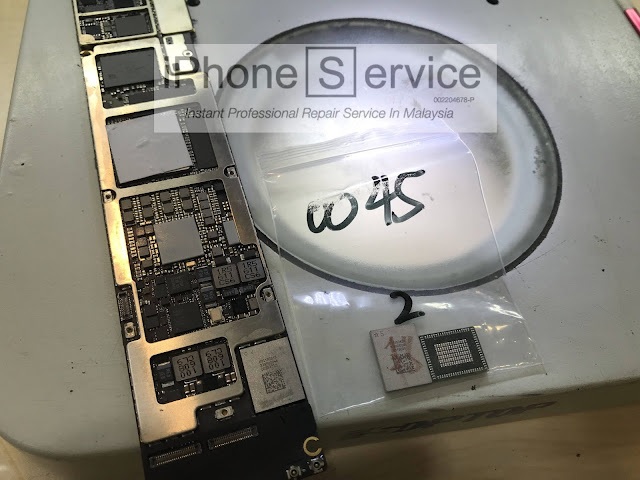


iPad Pro 12.9 WiFi IC code
We need to buy the WiFi model's WiFI IC to replace it.
Tips: the WiFi chipset of this iPad code is ended with 0045.

iPad PRO WIFI IC
Remove the WiFI IC is straightforward. You can heat this area by using a very high temp and it won't get a problem.

Tips:
When you install the new WiFi IC, be sure to use a lower temp of soldering paste. Normally the new chipset is easy to get damaged from high temp.
Final step - Assemble everything.
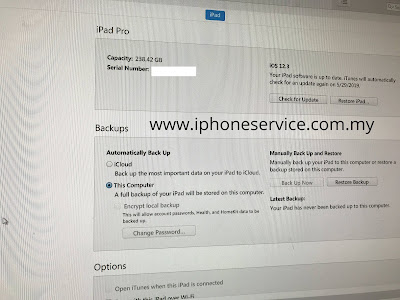
Connect it to iTunes and click Restore.
It will download an iPad WIFI version firmware to restore.

Finally, you're done!
Tips: Always censored the SN. Because the experts like me that have similar skills can steal your SN. You'll be screwed if you haven't log in the Apple ID on it.


iPad remove iCloud
DONE !!


FAQs:
Q: Can I still update the iOS in the future?
A: Yes

Q: Can I use a new Apple ID after that?
A: Yes

Q: Will the "ex-owner" able to track it by GPS?
A: No. The whole device became another device. The server only recognizes the device from the SN.

Q: Why they didn't block this kind of unlocking?
A: So far they won't. Because this method is very extreme and only a trained professional can do it.

23 June 2019

iPhone Motherboard Dead Repair | iPhone 7 Dead for no reason


How to repair iPhone motherboard dead


I still seeing countless of customers' iPhone been sabotaged by an inexperienced technician.
Many times they caused the customer more expensive to repair or either caused them to lost all the data memory.


I'm going to share a journey of how to repair a dead iPhone 7 that is fresh and nobody touch it yet.

This customer told us the phone suddenly off and unable to turn on anymore. Apple and other shop telling him is a motherboard problem.
Lucky he googled and decided to send it to much more experienced guy to do the works.  Thumb up!  :)

The well-prepared guy deserved good luck.


I love to repair this type of problem. Especially the phone becomes dead for no reason. Phone? Actually, I mean any model of smartphone.
But only meet the condition below.
  • No hard fall
  • No liquid damaged
  • No third-party charger used
  • No modification of hardware
  • Just suddenly become dead for no reason.

I made a video on YouTube if you are lazy to read the article, you can watch the video instead.

Continue to scroll down for long article that with details, why and how.


The article has much more to say. If I make the video too long, no people have time to watch entire video.


I love to repair this kind of case, ONLY when I'm the First-hand who fix it. 
Because - a lot of amateurs claim that they know how to repair the motherboard, but instead, they only know how to change the IC.
They don't know how to troubleshoot and would blindly change whatever IC that is related to power. Especially the "Power ic." 
Plus, some of them lousy soldering skill, they usually created a mess or more problem than it had. 


By the way... iPhone that suddenly becomes dead for no reason is usually because of a component failure. 


A component that is related to power.  
Might be an IC or small little thing like a capacitor. 
And most of the time, it is the capacitor.  


Because in term of lifespan:
 IC > capacitor


This is a capacitor that we see on a circuit board, inside TV or computer motherboard...
A capacitor has its own lifespan. It is just like a water tank, it will be broken if too old or overstress.

capacitor compare
Have you seen the bulging capacitors before? That's the problem. In the old days' people who repairing TV, they replaced a lot of these components that causing the TV malfunction.

Last time I fixed my Asus router by replacing faulty capacitors.
And my graphics card too.
You might wonder I can repair those too? Yes. for the sudden death issue, because most of the time I just need to fix the shorted components without a schematic.
But the iPhone uses a lot smaller size capacitor. As you can see, the red circle capacitors compare to my finger.
Some are tiny. Smaller than nose shit I can say.

So this kind of repair would be a simple job for me. But not for others...
In Malaysia, very few technicians are qualified to troubleshoot the iPhone motherboard problem.
Blindly changing parts or IC is those "fast repair shop" feature. Quick money.

Too bad that a lot of customers not knowing the difference between "fast repair shop" and "a specialist shop."

Louis Rossmann once said, "Mall shop" can't repair a thing. I bet the difference because I'm at the mall. LOL...   We should say never trust the "franchise repair shop," they just can't focus all the best technician in one place.
Best pros are always staying in one spot very long time.

Why not move into shop lot? I don't want the next morning open my shop and found out my roller shutter is half opened and inside is empty. You know what I mean in Malaysia.
The second benefit is the customers can wander around the mall while waiting. Easy parking and security...


Back to topic...

iPhone 7 motherboard shorted

 First step - Plug into Power Supply and read the responses.


When we haven't turn it on, it shouldn't be drawing any power.
And in this case, it's already drawing 0.8A when giving a good battery power which is 3.8v.
So this is the problem what we called "motherboard shorted"
For those who have some experience, they would think Oh yeah~ It's the VCC mainline shorted. Piece of cake.
But they found out the caps of vcc_main and batt_vcc have nothing short.
Example like this guy commented on my Youtube, screenshot below.


In my video, a pro can notice when the time I was giving the power slowly, the meter was showing the iPhone doesn't draw any power until reaching 1.8V. 

You can see the meter didn't rise until the 1.8V.

But once the power exceeds 2.0v above, the meter is showing immediately needle rising indicated something is drawing power.
To a much more experienced technician would already know something is tricky in this board.


That's why I said earlier, there are very few technicians that are qualified in the market.


Second Step - check for heated component 


If there is a water leak, the leaking spot will be cold.
But what if it's an electricity leak? Then the leaking spot will be hot.
Understand?

In the traditional way of repair, we will force it to continue to receive the voltage then use our fingers to touch the board every component one by one. To feel which one is hot and it's a problem.


But with a well-equipped guy like me, would immediately waste no time and to take out the thermal camera to scan it.
Screw the finger or rosin technique.

Found out one of the IC is very hot. 97℃ 

A normal guy would think: "Found the problem, let's change it!"

NO! HELL NO!! 

Please... A correct way to repair is to analyze what's that IC for and find out the reason why it becomes a problem which is our

Third Step - read the diagram


I know lots of shop in Malaysia keeping your iPhone for two months or longer and then failed to repair it. You know why? Because they can't find the real problem and the whole iPhone is already messed up by blindly changing IC.


Okay, let's open up the schematic of iPhone 7, check the location of the IC and zoom in to read the label of this IC.
It's called U2301.

You might ask where is the schematic.
You can download it here.


Once we know the name of the IC, press CTRL + F to search and type u2301. You will find this IC's diagram.
Here I'm not going to teach whole diagram reading here. I try to make this article short.
Watch the video if you are intereste
d.


From what we see in the diagram. This IC just to provide voltage to the other side.
According to what I read from this diagram, I understand this is one of the kick start systems that don't exist in the previous generation of iPhone. They called it Boost.

I'll try to explain noob version: Once the board detects the voltage is enough, this guy will make sure power stabled and pass it on to other few critical components.
Well, in every iPhone there is already have one similar IC. They added another one since iPhone 7.

So there is a high chance this guy is not the real problem.
Immediately we use a multimeter to check it's output circuit line.
How do we know where it goes out? By looking at the diagram, you will see "VOUT". Clearly, it means voltage out.
Then check those capacitors that on the bold line of VOUT.


The highlighted whole line is shorted. 


Fourth Step - How to check who is shorted in all those highlighted components?

Because there is only one component become faulty in this kind of sudden death issue.
The only way to find out is to give them exactly the voltage they need. By doing so, the real faulty component will take the heat itself.

First, we remove the IC that protecting them. Inside we make a jumper connect main voltage into this shorted line.

Remove this U2301 IC


Then solder two points with a wire. This is what we called - Jumper.
After that, connect to the power supply and start slowly supplying voltage on it. It's still showing shorted but this time would be different. Because the original source of the problem will take the heat itself.

If you don't have the camera, no problem. Use your finger.
or rosin technique.
As I said before, 99% is the capacitor problem for "Sudden death issue".
Remove it and the problem will go away.
Replace it if you want, but you might think isn't that will affect the device working properly?
It won't for this line.
Example let says the house you living have many reserve water tank, and if one of it is removed, your home would still have the water supply from outside.
Understand? Your house's continuous water supply is from outside. Not the tank.
But take note of this - Depends on the diagram and the capacitor purpose. I only explain more details in my course.

Once we removed the problem capacitor...

See? It'll still work without it and the IC but...

Final Step

We still need to solder the U2301 IC back on it though.
Because if the same problem happens on this line, it might burn a hole on the motherboard.
 
Countless irresponsible technician out there, they seem don't care. Maybe their volume of repair is low and I'm a specialist that only repair Apple, with that much of volume devices repaired... so I had encountered second-time capacitor problem that really burnt a hole. 


All memory data is not affected. Done.

15 June 2019

iPhone 5S error 4013 | Red screen reboot loop


Recently we repaired many iPhone 5S that having this kind of problem.

  • Red screen reboot loop
  • iTunes restored error 4013

    You can force it to enter to recovery mode. But it will end up with an error 4013 in the restore process.

After I read the report of the error, found out all of them are indicated NAND failed. (means memory hard disk failed. NAND is the flash memory in iPhone motherboard)
Well, I think this kind of problem is reasonable. Especially it happened to a heavy user using it ever since 2013, it's been 6 years.

First of all, I need to clarify that Apple iPhone is good in term of lifespan.
Of course, the battery is a consumable part that needs to be replaced after two years.
BUT a lot of peoples don't know that the memory hard disk actually has its own lifetime. "Example: a computer hard disk drive becomes dead itself."

Below photo is Google is the answer to memory lifespan.

 
See for yourself, Flash storage is 5-10 years depends on the write cycle.

To repair this problem, we just have to replace the NAND memory chip. But it will be a hard job for most amateurs out there because the technician must be well trained to prevent damaging to CPU which is on the other side of NAND.

I repaired a lot of other dealer's mess. It was supposed to change NAND job but ended up to rebuilding the CPU and SDRAM. They accidentally damaged the CPU in the process, then causing their customer to raise budget or argument.

5S NAND memory
A professional like me can remove the NAND safely. No damage to NAND soldering pads and CPU.

5S nand replacement
Original 5S Nand is black, I replaced a white one on it. Why?
As I said before, memory lifespan. Must put a new one, the old Nand is black and discontinued product.

Advise:
  • Always backup your old iPhone, you never know when it became dead. 
    NAND replacement = Memory data lost
  • Send to the true professional to repair this issue.
We can also upgrade to a bigger capacity if you have a bigger budget.